
Music and the library
The library is the folder where the box keeps its music and audiobooks. In the Lauschkiste home (lauschctl home
shows where; on a Raspberry Pi it is ~/lauschkiste) it is library, with two folders in it:
library/├── music/ one folder per album└── audiobooks/ one folder per audiobook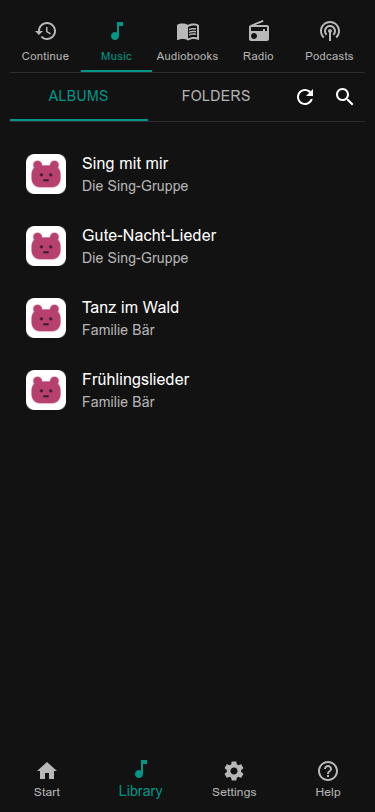
Getting files onto the box
Section titled “Getting files onto the box”Whatever you use, each album goes into its own folder below music and each audiobook into its own folder below
audiobooks. The library notices new, changed and removed files by itself and scans a few seconds after the copying
has finished. The refresh button in the library starts a scan at once.
In the web page. Library → Folders → Upload: pick files or whole folders, up to 1 GiB per file. This needs nothing else and works from a phone too.
As a network folder (Samba). If you prefer your file manager, switch on Samba with lauschctl setup samba. The box
then shows up as a network drive that holds only the library.
- Windows:
\\<name>\lauschkiste - macOS:
smb://<name>/lauschkiste(Finder: Go, Connect to Server) - Linux:
smb://<name>/lauschkiste
The user name is the user you log in with over SSH. The password is a Samba password of its own (at least 8
characters); lauschctl setup samba asks for it, and you can change it in the web page under Settings → Library.
Without the lauschctl step you can also run sudo smbpasswd -a <user>.
Cover pictures
Section titled “Cover pictures”The web page shows the cover of an album if it finds one. It looks first for a picture inside the audio files, then for
a file cover.jpg or cover.png in the album folder:
library/music/Simone Sommerland/├── 01 Aramsamsam.mp3├── 02 Das Rote Pferd.mp3└── cover.jpgA folder has one cover for all its files. If covers slow down a small box, switch them off under Settings → General → Show cover art.
Playlists
Section titled “Playlists”An album is played in the order of its files. For a list of your own, write a plain text file with the extension
.m3u: one file name per line, in the order you want. Put it into a folder of its own:
library/music/Wake-up songs/└── playlist.m3u# lines starting with # are commentsSimone Sommerland/Die 30 besten Kindergartenlieder/08 - Pitsch, patsch, Pinguin.mp3Bibi und Tina/Soundtrack/07 - Ordinary Girl.mp3Paths are relative to library/music. The folder then shows the songs of the list instead of the file itself, and you
put it on a card like any folder. If a folder has more than one .m3u, only the first (by name) counts.
A web page to create and change playlists is planned.
Where the data lives
Section titled “Where the data lives”Music is in library. The index that makes browsing fast and the cover pictures are made again whenever needed, so
you may delete settings/library.sqlite and cache/covers without losing anything. Cards and settings are in
settings; see Settings and files.