
The box is running: what now?
The box plays. What it plays and how you start it is your choice. Cards are one way, not the only one.
1. Choose what to listen to
Section titled “1. Choose what to listen to”Pick one or more; all of them work side by side.
| I want | How |
|---|---|
| my own music or audiobooks | Upload folders in the web page (below). |
| radio stations from the internet | Add them in the web page: Radio. No files needed. |
| podcasts | Search and subscribe in the web page: Podcasts. |
| books from my Audiobookshelf server | Audiobooks. |
Put music on the box
Section titled “Put music on the box”- Open the web page of the box:
http://<name>.local. - Open Library, then Music and the Folders view.
- Choose Upload and pick a folder with an album from your computer. One folder per album.
Audiobooks go the same way: Library → Audiobooks → Folders → Upload, one folder per book. The files of a book are
its chapters and play in the order of their names (2.mp3 comes before 10.mp3).
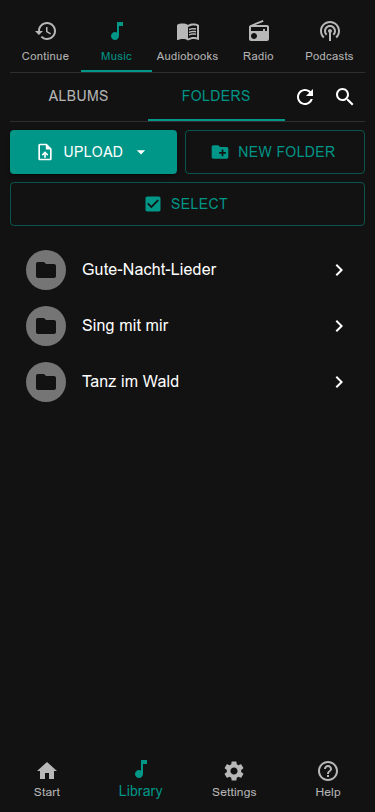
The library notices the new files by itself after a few seconds. More about it in Music and the library. You can also copy files over the network instead of uploading them.
Play it
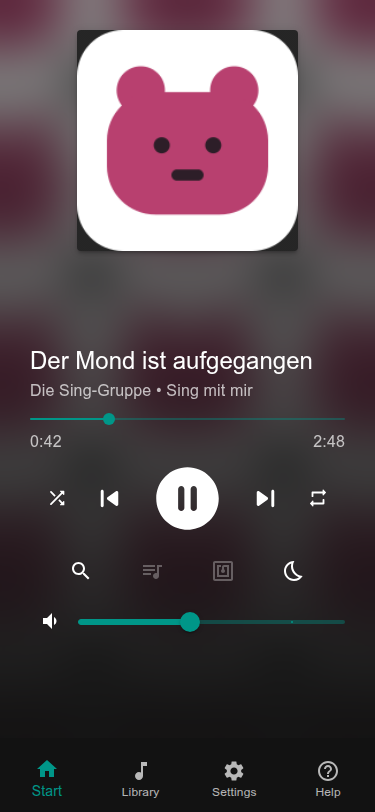
Section titled “Play it”Tap the album, book, station or podcast. The player on the Start page shows what plays. Tap play, change the volume with the slider. If you hear nothing, check that the speakers are on and the volume is up; then see Sound and Bluetooth.
2. Choose how it is started
Section titled “2. Choose how it is started”| I want | How |
|---|---|
| the web page on a phone or tablet | You already have it: http://<name>.local. Nothing to set up. |
| cards the child puts on the box | Needs an RFID reader: Your first card. |
| buttons and knobs on the box | Buttons and knobs. |
| a screen on the box that shows the player | A screen on the box. |
Time limits, Bluetooth, a power button and more are listed in What next?.